
- For coaches who work with professionals and organisations, LinkedIn is often the first place prospects check you.
- Treat your profile as a landing page: photo, banner, headline and About section should all say who you help and how.
- Use the Featured section to send visitors to a booking page, lead magnet or case study.
- A consistent visual brand across your banner, Featured images and posts makes you instantly recognisable in the feed.
If your clients are leaders, professionals or HR teams, LinkedIn is probably where they find you, check you and decide whether to reach out. Yet many coaches still have a profile that reads like a CV from their previous career.
This guide goes through your profile section by section and shows how to turn it into a client-attracting landing page.
Why LinkedIn matters so much for coaches
LinkedIn combines discovery and due diligence in one place. A prospect can see your post, click your name and judge your credibility in seconds. If the profile doesn't match the quality of your content, you lose them at the moment they're most interested.
LinkedIn itself has long reported that profiles with a photo receive many more profile views and messages than profiles without one. The same principle applies to every section: a complete, clear, professional profile simply gets more attention.
1. Profile photo: warm, professional, recognisable
- A recent, high-quality photo where your face fills most of the frame.
- Natural light and a simple background that fits your brand colours.
- A genuine, approachable expression. You're a coach, not a passport photo.
- The same photo, or the same style, as on your website.
2. Banner: your free billboard
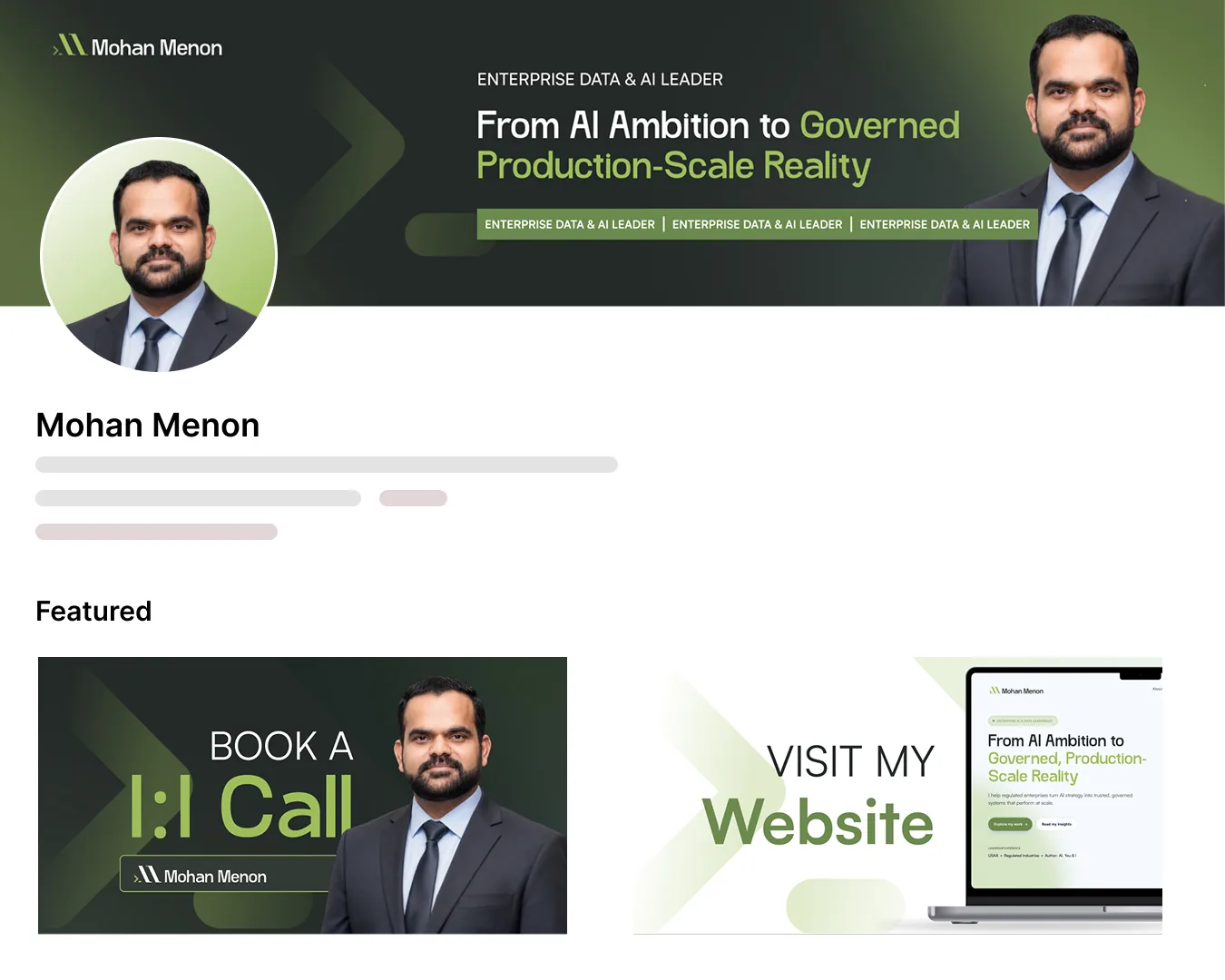
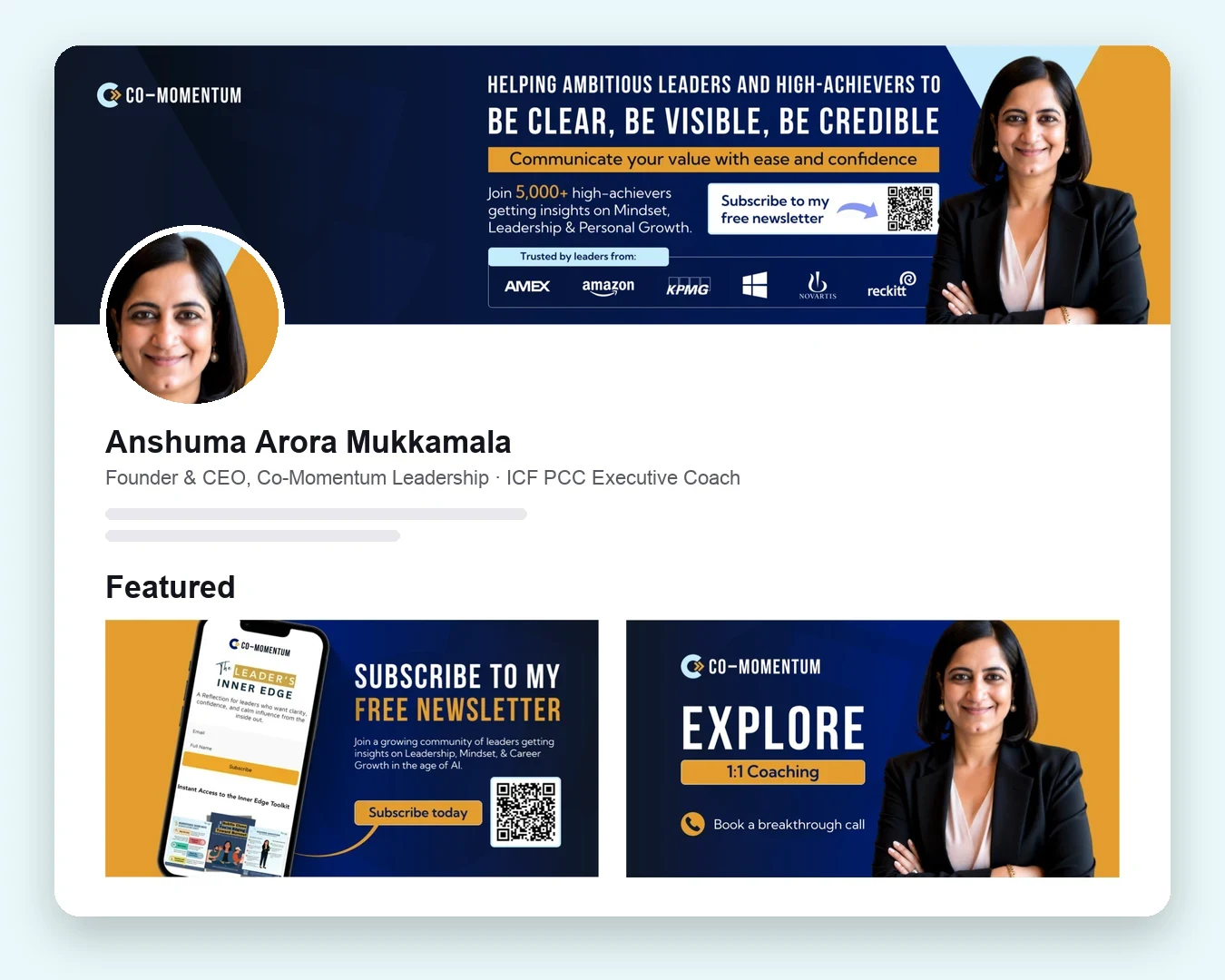
The banner (1584 × 396 pixels) is the largest visual on your profile and most coaches leave it as the default. Use it to state your positioning, show your brand colours and, if you like, add a subtle call to action. Keep important text away from the bottom-left corner, where your profile photo covers it, and check how it crops on mobile.
3. Headline: your positioning in 220 characters
Your headline appears next to your name everywhere on LinkedIn: in posts, comments, search results and invitations. Instead of a job title, use a formula like:
I help [ideal client] [achieve outcome] through [your approach] | [credential or proof]
For example: "Helping physicians navigate burnout and midlife change | Mid-life & wellbeing coach | Speaker". Include the words your clients would search for, such as "leadership coach", "executive coach" or "career coach", so you appear in LinkedIn search.
4. About section: a client-centred story
You have up to 2,600 characters. The first two or three lines show before "see more", so open with your client's problem, not your history. A simple structure:
- The challenge your ideal clients face.
- The change you help them make.
- How you work and what makes you different.
- Proof: results, credentials, notable clients.
- A clear invitation: "Book a free discovery call" with a link.
5. Featured section: send people somewhere useful
The Featured section sits near the top of your profile and supports images, links and posts. Use branded cover images for your three most valuable destinations, for example: book a call, download your free guide and visit your website. Matching designs make this section look polished and intentional.
6. Experience, services and recommendations
Describe your coaching practice as your current role, written in the same client-focused language as your About section. Add your coaching services to LinkedIn's Services section so you can appear when people look for those services. Ask satisfied clients for written recommendations; they're visible proof on the platform where prospects are already looking.
7. Branded content that makes you recognisable
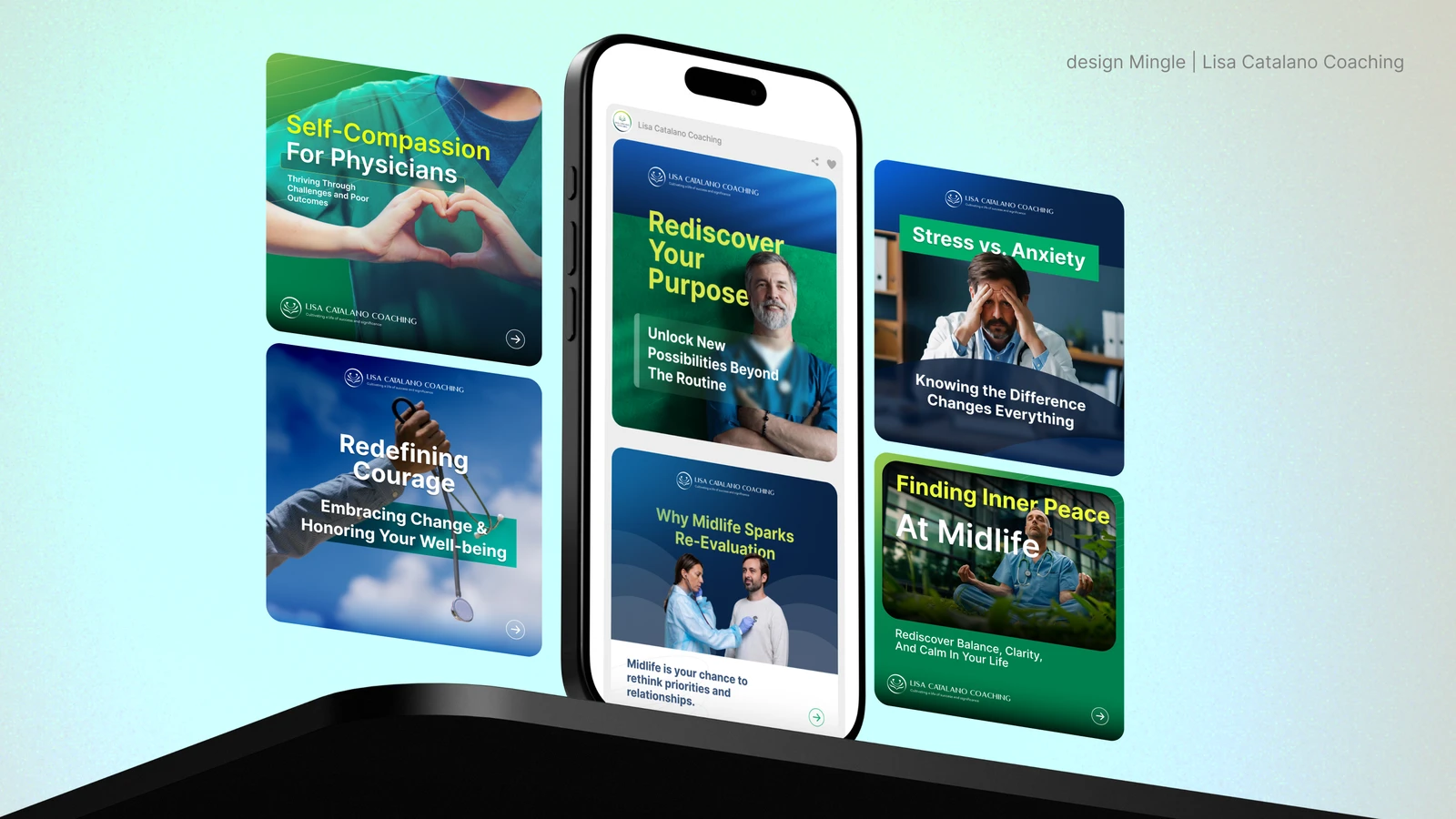
An optimised profile turns visitors into leads. Content brings visitors in the first place. Carousels, single-image posts and short videos that share one visual style help people recognise your posts in the feed before they read your name.
What should a coach post on LinkedIn?
A simple content mix keeps you consistent without running out of ideas. Rotate through these five pillars:
| Pillar | What it does | Example |
|---|---|---|
| Teach | Shows expertise | A carousel with a five-step framework for difficult conversations |
| Story | Builds connection | An anonymised client turning point, with permission |
| Opinion | Makes you memorable | A myth in your field you respectfully disagree with |
| Proof | Builds trust | A client testimonial designed as a quote card |
| Invite | Creates leads | A post about your programme, workshop or free guide |
Two or three quality posts a week, every week, usually beat daily posting that you can't sustain. Consistency, both in frequency and in visual style, is what builds recognition.
Common LinkedIn mistakes coaches make
- A headline that still shows a previous corporate job title.
- The default grey or blue banner.
- An About section written in the third person, like a CV.
- No link to book a call anywhere on the profile.
- Posts that all look different, so nobody recognises your content.
- Connecting with people and immediately sending a sales message.
LinkedIn profile checklist for coaches
- Professional, recent photo consistent with your website.
- Custom banner with your positioning and brand colours.
- Headline that says who you help and the outcome.
- About section that opens with the client's problem and ends with a call to action.
- Featured section with branded links to a call, a resource and your website.
- Services section filled in with your coaching offers.
- At least three recommendations from clients.
- Custom profile URL (linkedin.com/in/yourname).
- Regular branded posts in one consistent visual style.
We redesign coaching profiles end to end: banner, headline, About, Featured cards and content templates.
Frequently asked questions
What should a coach put in their LinkedIn headline?
Say who you help and the outcome you create, plus a credential or proof point, for example: "Helping new managers lead with confidence | ICF-certified leadership coach". Include the terms clients would search for.
What size is a LinkedIn banner?
LinkedIn recommends 1584 × 396 pixels. Keep key text away from the lower-left area where the profile photo overlaps, and check how the banner crops on mobile.
How long can a LinkedIn About section be?
Up to 2,600 characters. Only the first few lines show before "see more", so open with your ideal client's challenge and the change you help them make.
Is LinkedIn worth it for coaches?
For coaches who work with professionals, leaders and organisations, yes. It's where many prospects discover you, check your credibility and reach out, often all in one session.

Sabbir Hossien is the founder of DesignMingle, a design studio that builds brands, websites, LinkedIn presences and content for coaches. Every identity starts with hand sketches and is built as a long-term brand asset.
Connect on LinkedIn